Unleashing Visual Brilliance: Premium 4K HDMI Cables Online

Discover premium 4K HDMI cables online and elevate your visual experience with top-notch performance and quality.

premium 4k HDMI Cables
Image by DALL-E 3

Understanding HDMI Cables

A comprehensive understanding of HDMI cables is essential for anyone interested in optimizing their home entertainment system. This section explores the different types of HDMI cables and how they transmit data.

Types of HDMI Cables

HDMI cables come in several variations, each designed to meet specific needs and performance standards. Here’s a breakdown of the common types:

  1. Standard HDMI Cables:
    • Designed for earlier applications, these cables can handle 1080i or 720p video reliably.
    • Not suitable for the latest resolutions and refresh rates.
    • Some include HDMI Ethernet Channel functionality if both connected devices support it.

    2. High Speed HDMI Cables:

      • Capable of handling higher resolutions, including 1080p, 4K, and 3D video.
      • Ideal for refresh rates of 60Hz or higher.
      • Often include HDMI Ethernet Channel functionality.

      3. Certified Premium High Speed HDMI Cables:

        • Have undergone additional testing to ensure they meet specific performance standards.
        • Available for less than $10 each, making high-quality options affordable.

        4. Ultra High Speed HDMI Cables:

          • Meet the highest performance standards, supporting 4K, 8K, and even 10K resolutions.
          • Suitable for high dynamic range (HDR), enhanced refresh rates, and advanced color profiles.
          • Ensure minimal electromagnetic interference (EMI).
          Type of HDMI CableResolution CapacityAdditional Features
          Standard HDMI CableUp to 1080i or 720pHDMI Ethernet Channel (if supported)
          High Speed HDMI CableUp to 4K, 3DHDMI Ethernet Channel (if supported)
          Certified Premium High Speed HDMIUp to 4KExtra testing for performance assurance
          Ultra High Speed HDMI CableUp to 10KEMI shielding

          How HDMI Cables Transmit Data

          HDMI cables are critical for conveying digital audio and video signals from a source to a display, providing exceptional picture and sound quality compared to analog alternatives. The transmission process works as follows:

          • Digital Transmission:
          • HDMI cables transmit signals in a digital, uncompressed format, ensuring no loss of quality.
          • This format supports high-resolution video and multi-channel audio, making it ideal for modern home entertainment systems.
          • Connector Standard:
          • HDMI was developed by a consortium of electronics manufacturers and has become the universal standard for connecting consumer audio/video components.
          • The connector carries both video and audio signals, reducing the need for multiple cables.
          • Compatibility:
          • To take full advantage of HDMI capabilities, ensure that both connected devices (e.g., a 4K TV and a Blu-ray player) support the same HDMI version.
          • Higher versions, like HDMI 2.1, enable advanced features such as higher refresh rates and better color precision.

          Understanding the various types of HDMI cables and how they transmit data is crucial for selecting the right one for your needs. For more information on selecting the best HDMI cables for 4K TV or finding affordable 4K HDMI cables, check out our detailed guides.

          Explore more about specific needs such as flat 4K HDMI cables for tight spaces or long 4K HDMI cables for extensive setups within your home cinema.

          Importance of Bandwidth in HDMI Cables

          Bandwidth in HDMI cables is crucial for delivering high-quality audio and video signals. The higher the bandwidth, the more data can be transmitted, which is essential for 4K and 8K resolutions, as well as high refresh rates and color precision.

          Bandwidth Requirements for 4K and 8K

          Different resolutions and refresh rates require varying amounts of bandwidth to ensure seamless transmission. For 4K and 8K content, selecting the right HDMI cable with the appropriate bandwidth is essential.

          ResolutionRefresh RateBit DepthBandwidth Required (Gbps)
          4K60Hz8-bit10.2
          4K120Hz10-bit18
          8K60Hz12-bit48

          For 4K resolution at 60Hz with 8-bit color depth, a high-speed HDMI cable with a maximum bandwidth of 18 Gbps is sufficient. However, for 8K at 60Hz or 4K at 120Hz with higher bit depths, an Ultra High Speed HDMI cable, which supports up to 48 Gbps, is necessary. Ultra High Speed HDMI cables comply with the Ultra Certification Program and support specifications for 8K@60Hz and 4K@120Hz, along with additional features like HDR, VRR, and eARC.

          Impact of Refresh Rates and Color Precision

          Refresh rates and color precision significantly affect the bandwidth requirements of an HDMI cable. Higher refresh rates and bit depths demand greater bandwidth to ensure smooth and accurate signal transmission.

          Refresh RateBit DepthColor Data CompressionBandwidth Required (Gbps)
          60Hz8-bitNo compression10.2
          120Hz10-bitNo compression18
          60Hz12-bitNo compression48

          Higher refresh rates, such as 120Hz, are becoming increasingly popular, particularly with the latest gaming consoles. Ultra High Speed HDMI cables are recommended for achieving the quickest refresh rates while maintaining optimum performance. The ability to transmit uncompressed digital video and audio signals helps in providing superior picture quality and sound compared to analog cables.

          Color precision, also known as bit depth, affects how many colors can be displayed and how smooth the gradients appear. A higher bit depth requires more bandwidth, as seen in the table above. Ensuring that your HDMI cable can handle high bit depths and refresh rates is essential for getting the most out of your 4K and 8K devices.

          For more information on finding the best HDMI cables for 4K TV, visit our detailed guide.

          By considering the bandwidth requirements and the impact of refresh rates and color precision, you can select the ideal HDMI cable to meet your needs. Whether you are looking to purchase affordable 4K HDMI cables or long 4K HDMI cables, understanding these specifications will help you make an informed decision.

          Different Categories of HDMI Cables

          Selecting the right HDMI cable is pivotal when striving to achieve optimal video and audio quality. Here are the different categories of HDMI cables available:

          Standard HDMI Cables

          Standard HDMI cables were designed for earlier consumer applications, specifically for transmitting 1080i or 720p video reliably. They operate at lower bandwidth levels, making them suitable only for basic high-definition video and audio needs. However, these cables do not support the latest resolutions and refresh rates required by modern 4K and 8K devices. 

          Cable TypeMax ResolutionFeaturesRecommended Use
          Standard HDMI Cable720p, 1080iBasic video, audioEarlier HDMI devices, older TVs

          High Speed HDMI Cables

          High Speed HDMI cables are capable of supporting video resolutions of up to 4K at 30Hz. These cables are rated at 18 Gbps maximum bandwidth, which is fast enough to support 4K video signals. High Speed HDMI cables are also suitable for 1080p resolution, 3D content, Deep Color, and higher refresh rates. They are ideal for standard high-definition video devices such as Blu-ray players and previous-generation gaming consoles.

          Cable TypeMax ResolutionFeaturesRecommended Use
          High Speed HDMI Cable4K @ 30Hz1080p, 3D, Deep ColorBlu-ray players, HD TVs, previous-gen game consoles

          For affordable options on these cables, check out our guide on affordable 4k hdmi cables.

          Ultra High Speed HDMI Cables

          Ultra High Speed HDMI cables are designed to provide fully reliable performance for 4K UHD video at up to 60Hz (4K @ 60 frames per second) and also support HDR (High Dynamic Range). These cables meet the standards of the Premium HDMI Cable Certification Program, ensuring full 18Gbps bandwidth and minimizing interference with wireless signals. 

          These cables are particularly recommended for new-generation gaming consoles and achieving the quickest refresh rates, making them suitable for high-performance gaming and high-definition video streaming.

          Cable TypeMax ResolutionFeaturesRecommended Use
          Ultra High Speed HDMI Cable4K @ 60HzHDR, Premium CertificationNew-gen game consoles, 4K TVs, high-quality video streaming

          For more information on choosing the right HDMI cable for your devices, explore our article on best hdmi cables for 4k tv.

          By understanding the different categories of HDMI cables, you can make informed decisions and unleash the full potential of your visual and audio experience. If you need long cables for specific setups, our recommendations on long 4k hdmi cables might be helpful.

          Certifications and Specifications

          Ensuring the quality and performance of 4K HDMI cables involves understanding various certifications and specifications. Knowing about these can guide technology and video enthusiasts in making informed choices when purchasing 4k hdmi cables online.

          Ultra High Speed HDMI Certification

          Ultra High Speed HDMI cables are designed to support the most demanding video resolutions and refresh rates. To be certified under the Ultra High Speed HDMI Cable Certification Program, these cables must comply with the HDMI 2.1 standard and meet stringent performance specifications.

          FeatureSpecification
          Maximum Resolution8K@60Hz, 4K@120Hz
          BandwidthUp to 48Gbps
          Certification LabelRequired for genuine approval

          These cables are particularly suitable for use with next-gen gaming consoles like the PlayStation 5 and Xbox Series X, which benefit from the 4K/120Hz compatibility.

          Premium High Speed HDMI Certification

          Premium High Speed HDMI cables offer robust performance for high-definition video and audio. They are certified to ensure they handle higher bandwidth content, including 4K video with HDR (High Dynamic Range).

          FeatureSpecification
          Maximum Resolution4K@60Hz
          BandwidthUp to 18Gbps
          Certification LabelRequired for genuine approval

          These cables are ideal for users who need reliable 4K connectivity without the need for the additional capabilities of Ultra High Speed HDMI cables.

          Compatibility with HDMI 2.1 Devices

          HDMI 2.1 is the latest version of the HDMI specification, enabling higher resolutions and refresh rates up to 10K, along with dynamic HDR and enhanced audio return channel (eARC) capabilities. Compatibility with HDMI 2.1 devices ensures that users can take full advantage of advanced features and future-proof their setups.

          Device TypeHDMI 2.1 Requirement
          Gaming ConsolesPlayStation 5, Xbox Series X
          TVsLatest 4K and 8K TV models
          AV ReceiversSupporting eARC and Dynamic HDR

          For an optimal gaming and viewing experience, investing in HDMI cables that meet Ultra High Speed or Premium High Speed certifications is crucial. This ensures compatibility with the latest HDMI 2.1 devices, providing superior video and audio performance.

          This information aligns with additional considerations such as pricing and quality, length, and specific use cases like gaming. Readers interested in purchasing these cables should explore our related articles on best hdmi cables for 4k tvaffordable 4k hdmi cablesflat 4k hdmi cables, and long 4k hdmi cables.

          Considerations for Choosing HDMI Cables

          Choosing the right HDMI cable is essential for ensuring optimal performance and visual brilliance, especially when dealing with 4K content. Here are key considerations when selecting 4K HDMI cables online.

          Pricing and Quality Considerations

          High-quality 4K HDMI cables need not be expensive. Certified Premium High Speed HDMI cables that have undergone additional testing can be obtained for less than $10 each. 

          Cable TypePrice RangeFeatures
          Premium High Speed HDMI Cable$5 – $10Supports 4K60, HDR, Ethernet
          Ultra High Speed HDMI Cable$15 – $30Complies with HDMI 2.1, supports 8K60, 4K120, Dynamic HDR
          Monoprice Certified Premium Ultra Slim HDMI Cable$6 – $15Ultra-slim design, supports 4K at 60Hz, HDR, lifetime warranty
          Cable Matters Ultra High Speed HDMI Certified Cable$20 – $35Supports highest resolutions and frame rates, color coded, suitable for PS5, Xbox Series X

          Monoprice Certified Premium Ultra Slim HDMI cables are an excellent choice for those seeking a balance between affordability and performance. They are among the least expensive Premium Certified cables available, making them ideal for passing 4K at 60Hz and HDR content. These cables also come with a lifetime warranty, providing peace of mind for long-term use. Find more affordable 4K HDMI cables to suit your budget.

          Cable Length and Performance

          When considering cable length, it’s important to note that longer cables can sometimes lead to signal degradation. However, High Speed and Ultra High Speed HDMI cables are designed to maintain performance over longer distances. For optimal performance, it’s advisable to choose cables that are no longer than necessary to connect your devices.

          Cable LengthPerformance Consideration
          Up to 6 feet (2 meters)Optimal for most home setups, no signal degradation
          6 to 15 feet (2 to 5 meters)Still performs well with High and Ultra High Speed certifications
          Over 15 feet (5 meters)May require active cables or signal boosters to prevent degradation

          For longer distances, consider using active HDMI cables or signal boosters to maintain signal integrity. Explore options for long 4K HDMI cables.

          Compatibility with Gaming Consoles

          For gamers, ensuring compatibility with gaming consoles like the PlayStation 5 and Xbox Series X is a crucial factor when selecting HDMI cables. These new-generation consoles rely on HDMI 2.1 specifications to deliver features like 4K120 (4K at 120 frames per second) and HDR.

          Ultra High Speed HDMI cables must be certified and comply with HDMI 2.1 devices, ensuring the highest possible performance for gaming and other high-bandwidth applications.

          Gaming ConsoleRecommended HDMI Cable
          PlayStation 5Ultra High Speed HDMI Certified Cable
          Xbox Series XUltra High Speed HDMI Certified Cable

          Cable Matters Ultra High-Speed HDMI Certified cables are rated to handle the highest resolutions and frame rates, making them suitable for ensuring compatibility with devices like the PS5 or Xbox Series X. These cables are available in two- or three-packs and are color-coded for easy organization. For more details on selecting the best cables for gaming, check out our article on best HDMI cables for 4K TV.

          By considering pricing, quality, cable length, and specific needs for gaming consoles, you can make an informed decision when purchasing 4K HDMI cables online. For more options and detailed specifications, visit our articles on flat 4K HDMI cables and 4K HDMI cables for gaming.

          Installation and Environment Factors

          HDMI Cables for Industrial Environments

          HDMI cables used in industrial environments need to withstand rigorous conditions such as exposure to dust, dirt, and moisture. Choosing cables with an IP68 rating provides an excellent solution for such demanding settings. These cables are designed to resist dust and can even handle immersion in water, making them suitable for installations on factory floors, outdoor digital signage, and other challenging environments.

          EnvironmentRecommended HDMI Cable Rating
          Factory FloorsIP68
          Outdoor InstallationsIP68
          Digital SignageIP68

          For more information on various HDMI cables suited for different needs, explore our guide on flat 4k hdmi cables.

          Fire Resistance Ratings for In-Wall Installation

          When installing HDMI cables within walls, ensuring fire safety is crucial. Selecting cables with a CL2 or CL3 rating for low-voltage in-wall applications is recommended. These ratings signify that the cables are designed to resist fire, which is important for maintaining safety standards in residential and commercial buildings.

          Cable RatingApplication
          CL2Low-voltage in-wall installations
          CL3Commercial and residential in-wall installations

          Make sure to consult with a professional installer to verify fire resistance and compliance with local safety regulations. For additional insights on choosing the right HDMI cables, visit our page on best hdmi cables for 4k tv.

          IP68-Rated Cables for Outdoor Use

          HDMI cables for outdoor use must endure various environmental factors such as rain, snow, and extreme temperatures. IP68-rated HDMI cables are ideal for these situations, as they are designed to be dust-tight and resistant to water immersion. Therefore, whether you’re setting up an outdoor home theater or installing digital signage outdoors, IP68-rated cables are an optimal choice.

          UsageRecommended HDMI Cable Rating
          Outdoor Home TheaterIP68
          Outdoor Digital SignageIP68
          Temporary Outdoor SetupsIP68

          For those looking for extended lengths in cabling, our article on long 4k hdmi cables can provide useful information.

          By considering these installation and environment factors, one can choose the most suitable 4K HDMI cables online that ensure durability and reliability across different settings. For budget-friendly options, take a look at our selection of affordable 4k hdmi cables.

          Upgrade Your Connection: Long 4K HDMI Cables for Ultimate Visuals

          Discover the best long 4K HDMI cables for ultimate visuals. Learn about optimal lengths, versions, and business benefits.

          Understanding HDMI Cables

          HDMI cables are essential in high-definition entertainment, delivering superior audio and visual experiences, particularly with long 4k HDMI versions.

          Importance of HDMI Cables

          HDMI cables play a crucial role in enhancing your viewing experience. For example, they are finely tuned to deliver the best visual quality on classic gaming consoles like the Super Nintendo SNES and Super Famicom SFC. These cables provide stable and dependable connections, essential for a seamless gaming experience. 

          The importance of HDMI cables becomes even more significant with the advent of 4K technology. While opinions differ on the maximum cable length without signal boosters, it’s generally agreed that HDMI cables can provide a decent signal at around 50 feet for 1080p resolutions and 25-30 feet for 4K video. This capability makes them ideal for settings requiring longer cables, such as home theaters and conference rooms. For a deeper dive into affordable options, visit our page on affordable 4k hdmi cables.

          Furthermore, HDMI 2.1 cables offer enhanced audio capabilities with eARC, ensuring a superior audio experience. These features are essential for both home entertainment systems and professional environments where high-quality audio and video are non-negotiable.

          ResolutionMaximum Length
          1080p50 feet
          4K25-30 feet

          HDMI Cable Components

          An HDMI cable is composed of several key components that ensure its functionality and compatibility with various devices. A typical HDMI cable setup includes an adapter, HDMI cable, and a MicroUSB cable. This combination ensures maximum compatibility with current display technologies, making them a must-have for tech enthusiasts.

          In business settings, higher resolution displays, like those found in business monitors, benefit from advanced connectivity options, better color accuracy, and ergonomic adjustments. These features are crucial for tasks requiring attention to detail, such as graphic design and data analysis. For more information on suitable cables for high-resolution displays in a business environment, check out our section on best hdmi cables for 4k tv.

          Understanding these components helps in selecting the right HDMI cable to meet specific needs, whether for gaming, entertainment, or professional use. Accessory integration, such as MicroUSB cables, further enhances the setup’s versatility, making long HDMI cables suitable for various applications. For a more streamlined setup, you might consider flat 4k hdmi cables, which help in reducing clutter and maintaining a neat, organized space.

          4K HDMI Cable Lengths

          Determining the ideal length for 4K HDMI cables is critical for maintaining signal quality and achieving the ultimate visual experience. With evolving technology, there are several considerations when it comes to choosing the right cable length for 4K setups.

          Optimal Cable Lengths

          For the best performance with 4K signals, it’s generally accepted that HDMI cables should not exceed 3 meters (~9.8 feet) when using standard copper cables. Shorter lengths ensure minimal signal degradation and provide a more stable connection.

          Cable TypeOptimal Length
          Copper HDMI Cable≤ 3 meters (≤ 9.8 feet)
          Active Optical HDMI CableUp to 15-20 meters (50-70 feet)
          HDMI over EthernetUp to 50-60 meters (164-197 feet)
          Fiber-Optic HDMI CableUp to 100 meters (328 feet)

          For those needing longer cables, traditional options may not suffice. Beyond 3 meters, you might start experiencing signal degradation, especially with fine details required by 4K resolution. Specialized cables like active optical HDMI cables and fiber-optic HDMI cables extend this reach while maintaining high fidelity.

          Extending 4K HDMI Cables

          For setups requiring distances beyond the optimal lengths provided by standard cables, several methods can effectively extend 4K HDMI cables without compromising signal integrity:

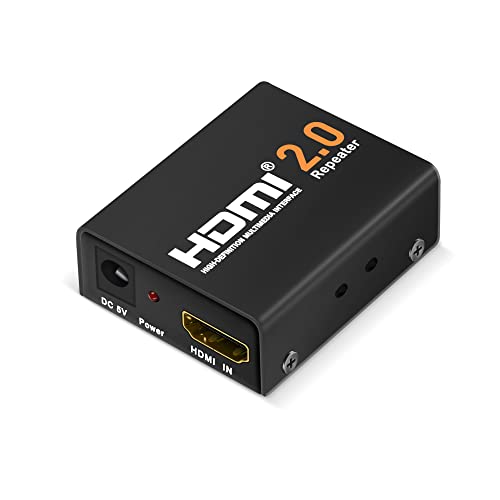
          1. HDMI Repeaters: These devices amplify the HDMI signal, enabling runs up to 30-40 meters (~98-131 feet) without significant loss. Ideal for medium-distance extensions where direct cabling falls short.
          2. Active HDMI Cables: Featuring built-in amplifiers, these cables maintain high-quality transmission over longer distances, typically up to 30-40 meters (~98-131 feet). They are especially useful for ceiling-mounted projectors or large conference room setups.
          3. HDMI over Ethernet: Utilizing Cat5e or Cat6 cables, this solution can extend HDMI signals up to 50-60 meters (~164-197 feet). It’s an effective option for professional settings requiring longer cable runs.
          4. Fiber-Optic HDMI Cables: These cables are capable of maintaining signal integrity for lengths up to 100 meters (~328 feet) or more, depending on the quality. They are ideal for installations where ultimate image quality is crucial despite long distances.

          For additional advice about finding the best HDMI cables for 4K TV and exploring other affordable 4K HDMI cables, refer to our detailed guides. 

          By understanding these optimal lengths and extension methods, you can ensure your 4K HDMI setup delivers the stunning visuals promised by 4K technology. Each extension method comes with its pros and cons, so assess your specific needs and choose the one that aligns best with your setup and budget. For those seeking specialized cables, consider checking out flat 4K HDMI cables for more flexible installation options.

          HDMI Cable Versions

          Understanding the different versions of HDMI cables is essential for anyone aiming to maximize the potential of their 4K devices. The three primary HDMI versions—HDMI 1.4, HDMI 2.0, and HDMI 2.1—each come with distinct features and capabilities.

          HDMI 1.4 vs. HDMI 2.0 vs. HDMI 2.1

          When comparing HDMI 1.4, HDMI 2.0, and HDMI 2.1, it’s important to consider their distinct specifications and features.

          FeatureHDMI 1.4HDMI 2.0HDMI 2.1
          Max Resolution4K @ 30Hz4K @ 60Hz4K @ 120Hz, 8K @ 60Hz
          Bandwidth10.2 Gbps18 Gbps48 Gbps
          HDR SupportBasicHDR10Dynamic HDR
          Audio Return Channel (ARC)Standard ARCStandard ARCEnhanced ARC (eARC)
          Variable Refresh Rate (VRR)NoNoYes
          Max Length for 4K (Standard Copper)~5 meters~15 meters~10-15 meters
          • HDMI 1.4: Supports 4K resolution at 30Hz. Suitable for basic 4K content but may experience signal degradation beyond 5 meters.
          • HDMI 2.0: Enhances 4K capabilities to 60Hz and supports a wider range of colors and higher frame rates. Maintains a quality signal for 4K content up to 15 meters.
          • HDMI 2.1: The latest version offers superior performance, handling 4K at 120Hz and 8K at 60Hz with a bandwidth of 48 Gbps. Effective for distances up to 10-15 meters with standard copper cables.

          Features of HDMI 2.1

          HDMI 2.1 comes packed with advanced features aimed at providing an unparalleled viewing and gaming experience. 

          • Higher Resolutions and Frame Rates: HDMI 2.1 supports resolutions up to 10K and higher frame rates (4K @ 120Hz, 8K @ 60Hz), ensuring ultra-smooth visuals for both movies and games.
          • Enhanced Audio Return Channel (eARC): This feature offers superior audio quality, allowing the transmission of full-resolution audio signals, making it ideal for home theater setups.
          • Variable Refresh Rate (VRR): VRR helps reduce lag, judder, and frame-tearing, significantly enhancing the gaming experience by enabling smoother, more fluid gameplay.
          • Dynamic HDR: HDMI 2.1 supports Dynamic HDR, which allows each frame to be individually processed for optimal color depth, brightness, contrast, and detail.

          For those seeking to upgrade their connection, HDMI 2.1 is the premier choice due to its advanced capabilities. To explore more about the top HDMI cables available, visit our guide on the best hdmi cables for 4k tv.

          Understanding these HDMI versions helps ensure you select the right cable to fully leverage your 4K devices and achieve ultimate visuals. For additional information on affordable options, read about affordable 4k hdmi cables.

          HDMI Cables for Business

          Benefits of Business Monitors

          Business monitors differ significantly from regular consumer monitors, offering a range of benefits designed to enhance productivity and workflow efficiency. These advantages make them essential in today’s fast-paced work environments. Here are some key benefits:

          • Higher Resolution Displays: Business monitors often feature high-resolution displays that make handling detail-oriented tasks, such as graphic design and data analysis, easier.
          • Advanced Connectivity Options: These monitors come equipped with versatile connectivity options, allowing for seamless integration with other business tools and systems. Long 4K HDMI cables ensure that high-resolution displays maintain their clarity over extended distances. For more on selecting the best cables, check our guide on best hdmi cables for 4k tv.
          • Better Color Accuracy: Accurate color rendering on business monitors ensures that visual content is displayed as intended, which is crucial for graphic work and presentations.
          • Ergonomic Adjustments: Features such as tilting, swiveling, and height adjustments allow for customized setups, reducing strain and improving comfort during long work hours. 
          • Multitasking Capabilities: Business monitors often come with split-screen functionality and Picture-by-Picture (PBP) mode, enabling users to display multiple windows or inputs simultaneously. This is crucial for multitasking and enhances productivity.
          • Workspace Organization: Slim bezels and efficient cable management solutions help maintain a neat and clutter-free workspace, promoting better organization and focus.

          Features of Business Monitors

          Business monitors are designed with specific features to meet the unique requirements of professional environments. Here’s a breakdown of the essential features:

          FeatureDescription
          High ResolutionEnsures clear, sharp visuals, important for detailed work like data analysis and graphic design.
          Advanced ConnectivityIncludes multiple ports such as HDMI, DisplayPort, and USB to allow easy connections.
          Color AccuracyDelivers precise and consistent colors, important for design and presentation tasks.
          Ergonomic DesignAdjustable stands (tilt, swivel, height) to enhance user comfort and reduce physical strain.
          Multitasking FunctionsSplit-screen and Picture-by-Picture (PBP) modes to facilitate multiple tasks simultaneously.
          Slim BezelsMaximizes screen real estate and provides a modern, sleek look.
          Cable ManagementBuilt-in solutions to keep cables organized and the workspace tidy.

          These monitors not only improve visual performance but also develop a more comfortable and efficient working environment. Investing in quality affordable 4k hdmi cables can further enhance the functionality of business monitors. For those looking to maintain organized setups without compromising on visual quality, flat 4k hdmi cables are a suitable option.

          By understanding the features and benefits of business monitors, companies can make better choices when upgrading their visual equipment, maximizing their investment. For a variety of 4K HDMI cable options, explore our recommended 4k hdmi cables online.

          Best Flat 4K HDMI Cables for Under Rugs & Wall Mounts

          Why Choose a Flat 4K HDMI Cable?

          If you are mounting a TV flush against the wall or running wires under a rug, a standard round HDMI cable can be a nightmare. It creates unsightly bulges under carpets and puts dangerous stress on your TV’s HDMI ports when squeezed into tight spaces.

          Flat 4K HDMI cables are the solution for clean, invisible home theater setups. They offer the same high-speed 18Gbps (or 48Gbps) performance as round cables but with a low-profile design that slides easily behind baseboards, under doors, and beneath flooring.

          Understanding HDMI Cable Types

          To get the most out of your 4K setup, it’s important to choose the right type of HDMI cable. Here, we will explore the main options for your setup: Premium HDMI cables (best for 4K) and High Speed cables (good for standard 1080p/4K @ 30Hz).

          Flat HDMI cable attached to a tv

          Premium HDMI Cables

          Premium HDMI cables are designed to ensure reliable performance for 4K/UltraHD content at up to 18Gbps bandwidth. Features include support for 4K60, HDR, and expanded color spaces. These cables are authenticated and verified through the Premium HDMI Cable Certification Label from HDMI LA.

          FeatureDetails
          BandwidthUp to 18Gbps
          Supported Resolution4K60 (60Hz)
          Additional FeaturesHDR, Expanded Color Spaces

          For a deeper understanding of why these cables are preferred for modern setups, check our guide on the best HDMI cables for 4K TV.

          Best Flat High Speed HDMI Cables for 4K

          High Speed HDMI cables are excellent for video resolutions of 1080p and beyond. They support up to 10.2Gbps bandwidth and are compatible with advanced display technologies such as 4K at 30Hz, 3D, and Deep Color. These cables are ideal for connecting 1080p HD displays to HD content sources, like Blu-ray Disc players.

          FeatureDetails
          BandwidthUp to 10.2Gbps
          Supported Resolution4K30 (30Hz)
          Additional Features3D, Deep Color

          For budget-friendly options, consider our list of affordable 4K HDMI cables.

          Key Features of HDMI Cables

          When selecting the best HDMI cables for 4K TV, it’s essential to understand the key features that ensure optimal performance. Here, we discuss bandwidth and compatibility, HDMI Ethernet Channel, and the evolution from HD to 4K.

          Bandwidth and Compatibility

          Bandwidth is crucial for HDMI cables as it determines the amount of data that can be transferred between connected devices. Higher bandwidth is necessary to support advanced video resolutions and features. For instance, the latest HDMI 2.1b cables can support a bandwidth of up to 48Gbps, which is necessary for uncompressed 8K@60Hz and 4K@120Hz video resolutions. 

          HDMI SpecificationMaximum BandwidthSupported Resolutions
          HDMI 1.410.2 Gbps4K@30Hz, 1080p, 3D
          HDMI 2.018 Gbps4K@60Hz, HDR
          HDMI 2.148 Gbps8K@60Hz, 4K@120Hz

          High Speed HDMI Cables, for example, are designed for handling 1080p and beyond, supporting features like 4K@30Hz and HDR with a bandwidth of up to 10.2Gbps. On the other hand, Premium HDMI Cables can manage 4K@60Hz and possess a bandwidth of up to 18Gbps, ensuring reliable performance for Ultra HD signals.

          HDMI Ethernet Channel

          The HDMI Ethernet Channel is an innovation that allows HDMI cables to transmit data between Internet-enabled devices without the need for additional Ethernet cables. This feature is available in High Speed and Premium HDMI Cables, offering convenience and reducing cable clutter. It facilitates direct device-to-device connection capabilities, enabling functions such as device networking and Internet sharing among connected devices.

          The Ethernet channel combines video, audio, and data into a single cable, simplifying setup and enhancing connectivity within home entertainment systems. This feature is particularly useful as more devices today are smart and network-enabled, requiring seamless communication for optimal performance.

          For more insights on choosing the right HDMI cables, visit our page on affordable 4k hdmi cables. If you’re considering longer connections, check our guide on long 4k hdmi cables.

          With the right HDMI cable, including features like high bandwidth, Ethernet capabilities, and support for 4K/8K resolutions, users can enjoy a seamless and high-quality viewing experience.

          The 3 Best Use-Cases for Flat HDMI Cables

          1. Running Under Rugs and Carpet The most popular reason to buy a flat HDMI cable is to hide a cable run across a room. Unlike round cables, which create a tripping hazard and a visible ridge, flat cables lay flush against the subfloor.

          • Pro Tip: Look for a flat cable with a braided nylon jacket if it will be in a high-traffic area to prevent crushing the internal copper wires.

          2. Tight Wall Mounts Modern ultra-thin TV mounts often leave less than an inch of space between the TV and the wall. Standard round connectors can protrude too far, forcing the cable to bend at a sharp 90-degree angle. This causes signal dropouts over time. Flat cables are naturally more flexible and have a slimmer connector profile, reducing strain on your TV’s ports.

          3. Hiding Along Baseboards If you can’t go through the wall, flat cables are easy to adhere to the top of a baseboard or slide between the carpet and the wall trim. Their shape allows them to blend in seamlessly, especially if you choose a white flat cable to match your trim.

          Does the Flat Shape Affect 4K Performance?

          When choosing flat 4K HDMI cables, several factors can significantly influence their performance. Understanding these elements ensures that you select the best cable for your setup.

          Cable Distance Considerations

          The length of an HDMI cable can impact its performance, particularly with high-resolution signals. As the cable length increases, the potential for signal degradation or loss can also increase.

          • Short Cables (up to 15 feet): Generally, no significant loss of signal quality.
          • Medium Cables (15-50 feet): May require high-quality or active cables to maintain signal integrity.
          • Long Cables (50 feet and beyond): Typically require fiber optic HDMI or active cables with built-in amplifiers to prevent signal loss.

          For those needing longer cables for their setups, consider looking into long 4K HDMI cables that ensure high performance over greater distances.

          Certification and Labeling

          Certification ensures that the HDMI cable meets specific standards for performance and reliability. Key certifications to look for include:

          • Premium HDMI Cable Certification: Verifies that the cable can reliably handle 4K/UltraHD signals at up to 18 Gbps, including features like 4K60, HDR, and expanded color spaces.
          • Ultra High Speed HDMI Certification: Ensures the cable can handle the maximum bandwidth of 48 Gbps required for HDMI 2.1b specifications.

          Certification labels, like those provided by HDMI LA, indicate that a cable has been tested for specific standards. Non-certified cables may underperform, especially with high-bandwidth requirements like 4K or 8K resolution.

          For purchasing authentic and certified cables, consider checking 4K HDMI cables online. Ensure reliable performance by opting for well-certified cables.

          Understanding these factors is key to selecting the best flat 4K HDMI cable for your needs. For more information on affordable options, check out our guide on affordable 4K HDMI cables.

          Do Flat HDMI Cables Have Worse Picture Quality?

          The Crosstalk Myth A common misconception is that flat HDMI cables suffer from “crosstalk” (interference between wires) because the internal wires run side-by-side rather than twisted together.

          The Reality: High-quality flat 4K cables use individual shielding for each internal wire pair. As long as you purchase a cable that is Premium Certified or rated for 18Gbps, a flat cable will deliver the exact same picture and audio quality as a round cable.

          Durability Considerations While flat cables are excellent for flexibility, they have one weakness: side-to-side bending. A flat cable bends easily up and down (like a belt), but trying to force it to turn a sharp corner sideways can damage the wiring. When installing, always fold the cable gently at corners rather than twisting it.

          Advanced HDMI Cable Technologies

          When it comes to choosing the best hdmi cables for 4k tv, understanding advanced HDMI technologies is crucial. This section examines HDMI 2.1 specifications, fiber optic cable options, and enhanced audio and video support.

          HDMI 2.1 Specifications

          HDMI 2.1 is a significant upgrade over previous versions, increasing the maximum supported resolution up to 10k. With this advancement, it is capable of delivering higher frame rates (e.g., 120fps for 4k) and supports lossless audio output. 

          Key features of HDMI 2.1:

          • Display Stream Compression (DSC) 1.2a: Offers visually lossless compression for ultra-high-definition (UHD) video, with a maximum compressed bandwidth of 128 Gbps.
          • Dynamic HDR: Ensures that each moment of a video is displayed at its ideal values for depth, detail, brightness, contrast, and wider color gamuts.
          • Quick Media Switching (QMS): Eliminates the delay that can result in blank screens before content is displayed.

          Fiber Optic Cable Options

          Fiber optic HDMI cables are essential for maintaining signal quality over long distances, especially for high-resolution video outputs like 4k and 8k. Unlike traditional copper cables, fiber optic cables provide reliable performance without degradation over long cable runs.

          Cable TypeMax ResolutionMax DistanceSource
          Light-Link 4k HDMI 2.04K300 ftSewell Direct
          Light-Link 8k HDMI 2.18K100 ftSewell Direct

          Enhanced Audio and Video Support

          The HDMI 2.1 standard also introduces Enhanced Audio Return Channel (eARC), which supports higher-quality audio bandwidth and speed. This feature is not backwards compatible with the existing ARC (Audio Return Channel), offering a more immersive audio experience for home theater systems.

          Advantages of eARC:

          • Supports high bitrate audio formats: Such as Dolby Atmos and DTS:X.
          • Greater audio quality: Up to 192kHz, 24-bit uncompressed audio.
          • Synchronization: Improved lip sync capabilities.

          By exploring these advanced HDMI cable technologies, tech enthusiasts and video/audio lovers can make informed decisions. Whether it’s delving into HDMI 2.1 specifications or selecting fiber optic solutions for long-distance applications, the right choice can significantly enhance the viewing and listening experience.

          For more details on affordable high-quality options, check our guide on affordable 4k hdmi cables.

          Ensuring Signal Quality

          Maintaining the signal quality of flat 4K HDMI cables is crucial for an optimal viewing experience. Below are essential considerations for ensuring high-quality HDMI cable performance.

          HDMI Surge Protection

          HDMI surge protection is vital to safeguard your equipment from power surges that can damage HDMI ports and connected devices. Surge protectors, such as Eaton’s inline HDMI surge protector (Model Number B110-SP-HDMI), are designed with lower line capacitance and impedance to avoid Transition Minimized Differential Signaling (TMDS) loss, thereby enhancing signal quality. For more information, visit Eaton’s HDMI Explained.

          HDMI Cable Maintenance

          Regular maintenance of HDMI cables ensures long-term performance and reliability. Here are some essential tips for maintaining your flat 4K HDMI cables:

          • Avoid sharp bends: Ensure that cables are not kinked or sharply bent, as this may damage the internal wiring.
          • Proper storage: Store cables neatly coiled when not in use to prevent tangling and physical damage.
          • Cleaning connections: Periodically clean the HDMI connectors with a dry cloth to remove dust and debris, ensuring a secure connection.

          Proper maintenance practices help in preserving the integrity of the signal transmission, resulting in a seamless video and audio experience.

          Future-Proofing Your Setup

          Future-proofing your setup is essential to accommodate the rapidly advancing technology in video and audio transmission. Here are key considerations to ensure your system remains relevant:

          • Bandwidth Requirements: For 4K resolution at high frame rates, HDMI cables must support bandwidths up to 18 Gbps. With the advent of 8K and higher resolutions, cables will need to support bandwidths up to 48 Gbps.
          • Certification and Labeling: Opt for certified cables by agencies like DPL-Labs to ensure they meet performance standards for 4K, 60fps, 18 Gbps bandwidth, and HDR.
          • Advanced Technologies: Consider cables that support HDMI 2.1 specifications, which include features like Enhanced Audio Return Channel (eARC), Variable Refresh Rate (VRR), and Quick Media Switching (QMS). 

          Ensuring that your setup is equipped with high-quality, future-proof cables will help maintain optimal performance and compatibility with the latest technology trends.

          FeatureDescriptionImportance
          Surge ProtectionProtects against power surgesEssential for device safety
          BandwidthUp to 48 Gbps for 8K supportCrucial for high-definition content
          CertificationVerified by agencies like DPL-LabsEnsures performance standards
          HDMI 2.1 SupportAdvanced audio and video featuresFuture-proofing your setup

          For more insights and advice on maintaining the signal quality of your HDMI cables, check out our related articles on Gaming HDMI and affordable 4K HDMI cables.

          Experience Visual Brilliance: Choosing the Best HDMI Cables for 4K TV

          Unleashing the Full Potential of 4K TVs

          Importance of HDMI Cables for 4K TVs

          HDMI cables serve as the bridge between your 4K TV and various devices like gaming consoles, Blu-ray players, and streaming boxes. These cables carry both audio and video signals, ensuring seamless picture quality and immersive sound. Choosing the best HDMI cables for 4K TVs is crucial for experiencing the full capabilities of your 4K setup. High-quality cables ensure that the enhanced resolution, color depth, and refresh rates of 4K content are delivered without degradation.

          Understanding the Role of HDMI Cables in Image Quality

          HDMI cables play a pivotal role in maintaining image clarity, especially for 4K resolution. The cable’s data transfer rate, often referred to as bandwidth, is critical for transmitting high-definition video and audio signals efficiently. Different versions of HDMI support various bandwidths and capabilities, such as HDMI 1.4 and HDMI 2.0, which are essential for 4K TVs.

          HDMI VersionMaximum BandwidthSupported ResolutionRefresh Rate
          HDMI 1.410.2 Gbps4K at 30Hz30Hz
          HDMI 2.018 Gbps4K at 60Hz60Hz
          HDMI 2.148 Gbps4K at 120Hz120Hz

          A high-speed HDMI cable (HDMI 2.0 and above) is required to handle the demands of 4K content, which includes high dynamic range (HDR) and expanded color spaces. Without a proper HDMI cable, you might experience issues such as screen flickering, loss of signal, or reduced image quality. Understanding the capabilities of high-speed HDMI cables helps in making an informed choice that enhances the overall viewing experience.

          For more insights into the technical specifications and types of HDMI cables, consider exploring our coverage on flat 4k hdmi cables and long 4k hdmi cables to find the perfect match for your home entertainment setup.

          Key Factors to Consider

          When selecting the best HDMI cables for a 4K TV, several key factors must be taken into account to ensure optimal performance and durability.

          Bandwidth and HDMI Versions

          The bandwidth of an HDMI cable determines its ability to transmit data at high speeds, which is crucial for delivering high-quality 4K video. HDMI versions also play a significant role in the cable’s capabilities. Let’s explore the different versions and their associated bandwidths:

          HDMI VersionMaximum BandwidthSupported Resolutions
          HDMI 1.410.2 GbpsUp to 4K at 30Hz
          HDMI 2.018 GbpsUp to 4K at 60Hz
          HDMI 2.148 GbpsUp to 4K at 120Hz, 8K at 60Hz

          It’s essential to choose an HDMI cable that supports at least HDMI 2.0 for optimal 4K performance. For cutting-edge features like dynamic HDR and high frame rates, HDMI 2.1 is recommended. For information on budget-friendly options, visit our article on affordable 4k hdmi cables.

          Cable Length and Durability

          The length of the HDMI cable affects signal transmission quality. Shorter cables (up to 10 feet) tend to maintain better signal integrity compared to longer ones. However, if you need a longer cable, look for cables designed to minimize signal loss.

          Durability is also crucial, especially for cables that will be plugged and unplugged frequently. Consider cables with reinforced connectors and robust outer sheaths to ensure longevity. For those needing longer HDMI cables, check out our guide on long 4k hdmi cables.

          Shielding and Interference Resistance

          Shielding in HDMI cables protects against electromagnetic interference (EMI) and radio frequency interference (RFI), ensuring a clear signal. High-quality cables typically include multiple layers of shielding.

          Shielding TypeDescription
          Single ShieldingBasic protection against EMI/RFI
          Double ShieldingEnhanced protection, reducing noise
          Triple ShieldingMaximum protection, best for long cables or high-interference environments

          To minimize potential interference, especially in environments with numerous electronic devices, choose a cable with at least double shielding. For more information on cable setups, visit our article on flat 4k hdmi cables.

          Considering these key factors will help ensure that you select the most suitable HDMI cable for your 4K TV, providing the best possible viewing experience.

          Types of HDMI Cables

          Choosing the best HDMI cables for your 4K TV is essential for unlocking the full potential of your high-definition display. Understanding the different types of HDMI cables available can help you make an informed decision.

          Standard HDMI Cables

          Standard HDMI cables are designed for basic consumer electronics. They support video resolutions up to 1080i or 720p. While adequate for older HD technology, these cables may not provide the necessary performance for 4K content. They lack the bandwidth required for higher resolutions and refresh rates.

          FeatureSpecification
          Maximum Resolution1080i / 720p
          BandwidthUp to 4.95 Gbps
          Typical UseOlder HD TVs, DVD players

          High-Speed HDMI Cables

          High-speed HDMI cables support higher video resolutions and refresh rates, making them more suitable for 4K TVs. They can handle video resolutions up to 4K at 30Hz and come with added features like deep color and 3D support. 

          FeatureSpecification
          Maximum Resolution4K @ 30Hz
          BandwidthUp to 10.2 Gbps
          Typical Use4K TVs, Blu-ray players, gaming consoles

          Premium High-Speed HDMI Cables

          For the best performance, premium high-speed HDMI cables are the ideal choice. These cables support 4K at 60Hz, HDR, and expanded color spaces. They provide the necessary bandwidth for smooth, high-quality video and audio delivery, ensuring your 4K TV exhibits exceptional visual brilliance.

          FeatureSpecification
          Maximum Resolution4K @ 60Hz
          BandwidthUp to 18 Gbps
          Typical UseAdvanced 4K TVs, high-end gaming consoles, home theater systems

          These variations of HDMI cables cater to different requirements, allowing users to choose the cable that best meets their setup needs. For those seeking affordable yet effective options, check out our guide on affordable 4K HDMI cables. Additionally, for installations that require specific cable lengths or types, explore flat 4K HDMI cables and long 4K HDMI cables.

          Connectivity and Compatibility

          Ensuring proper connectivity and compatibility when choosing HDMI cables for your 4K TV is essential for achieving the best viewing experience. This section will discuss HDMI cable connectors and how to ensure compatibility with your devices.

          HDMI Cable Connectors

          Different HDMI connectors are available, each designed for specific use cases. Understanding these connectors is crucial for selecting the best option for your needs.

          1. Standard HDMI Connector (Type A)
            • The most common HDMI connector
            • Compatible with most TVs, monitors, and gaming consoles
          2. Mini HDMI Connector (Type C)
            • Smaller than standard connector
            • Typically used with tablets, cameras, and some laptops
          3. Micro HDMI Connector (Type D)
            • The smallest HDMI connector
            • Used for smartphones and very compact devices
          4. HDMI Alternate Mode (USB-C)
            • Allows HDMI signals through a USB-C connector
            • Used with newer smartphones, laptops, and tablets
          Connector TypeCommon UsesConnector Size
          Standard (Type A)TVs, Monitors, Gaming Consoles13.9 x 4.45 mm
          Mini (Type C)Tablets, Cameras, Laptops10.42 x 2.42 mm
          Micro (Type D)Smartphones, Compact Devices6.4 x 2.8 mm
          HDMI Alt Mode (USB-C)Newer Smartphones, Laptops, TabletsVaries

          Ensuring Compatibility with Your Devices

          To achieve optimal performance with your 4K TV, it is important to ensure that your HDMI cables are compatible with all your connected devices. Here are some steps to follow:

          1. Check HDMI Versions
            • Ensure your devices support the same HDMI version
            • HDMI 2.0 or higher is recommended for 4K content
            • For specific version compatibility, refer to resources like HDMI versions and compatibility
          2. Verify Connector Types
            • Confirm that your cable has the correct connectors for your devices
            • Refer to the table above for common uses of different connectors
          3. Compatibility with Older Devices
            • If using older devices, check if they are backward compatible with newer HDMI versions (e.g., HDMI 1.4 devices working with HDMI 2.0 cables)
            • Understanding backward compatibility helps in setting up mixed generation devices seamlessly
          4. Resolution and Refresh Rate Support
            • Ensure that all devices in your setup support 4K resolution at desired refresh rates (e.g., 60Hz or 120Hz)
            • Refer to the specifications in the device manuals

          By understanding HDMI cable connectors and ensuring proper compatibility with your devices, you can make an informed decision when choosing the best HDMI cables for 4K TV. Proper connectivity ensures that your 4K TV performs at its best, delivering outstanding image quality and an immersive viewing experience.

          Setting Up Your 4K TV with HDMI Cables

          Proper setup of HDMI cables is key to experiencing the best possible video and audio quality from your 4K TV. This section provides guidance on correct cable installation and troubleshooting common connection issues.

          Proper Cable Installation

          Step-by-Step Installation Guide:

          1. Choose the Right HDMI Cable: Ensure the HDMI cable is compatible with your 4K TV and supports the necessary bandwidth for 4K content. High-speed HDMI cables are usually preferred.
          2. Turn Off All Devices: Before connecting, make sure all devices (TV, streaming box, gaming console) are powered off.
          3. Locate HDMI Ports: Identify the HDMI input port on your 4K TV and HDMI output port on the source device.
          4. Connect the Cable: Insert one end of the HDMI cable into the TV’s HDMI input and the other end into the source device’s HDMI output.
          5. Power On Devices: Turn on the TV and source device. Use your TV remote to select the correct HDMI input source.
          6. Check Connection: Verify the connection by accessing the video settings on your TV menu. Ensure the resolution is set to 4K.

          Troubleshooting Common Connection Issues

          If you encounter any issues while setting up your HDMI cable, refer to the following troubleshooting tips:

          1. No Signal:
            • Ensure both ends of the HDMI cable are securely connected.
            • Verify that the TV is set to the correct HDMI input.
            • Test the HDMI cable with another device to ensure it is functioning.
          2. Poor Image Quality:
            • Confirm that you are using a high-speed HDMI cable.
            • Check that the resolution settings on your TV are configured for 4K.
            • Inspect the cable for any physical damage.
          3. Intermittent Signal Loss:
            • For longer cable runs, use an HDMI cable with higher specifications or consider a signal booster. Learn more about long 4k hdmi cables.
            • Reduce potential sources of interference by keeping the cable away from other electronic devices and power cables.
          4. Audio Issues:
            • Ensure audio settings on both the TV and source device are correctly configured.
            • Check if the HDMI cable supports audio return channel (ARC) if using sound systems.

          By following these steps and tips, users can effectively set up their 4K TV with HDMI cables, ensuring an optimum viewing experience. For affordable options, be sure to explore our guide on affordable 4k hdmi cables.

          SecurOMax HDMI Cable Cord 6ft – Review

          The SecurOMax HDMI Cable is hugely popular with customers because of its high performance and low price. It comes with all the features of regular HDMI cables but differs because of its thickness. This cable is thicker than most, which is always a good thing, but unlike most thick cables, this one does not tangle and is super flexible. Triple braided cotton entwined with flexible copper wire achieves this, resulting in a heavy-duty, yet highly flexible HDMI cable.

          Check Price and Availability Here

          The connectors are 24K gold-plated, which further reduces interference and static during data transfer. The result is a cable that ensures a crisp audio and visual user experience. It also features Ethernet and audio return channels, which eliminates the need for additional audio and network cables. This means fewer cables become tangled behind your devices, eliminating one of the most annoying elements for users.

          If you are interested in finding a high-performing HDMI cable without the high-end price, this one is definitely worth a look. Its shorter length makes it ideal for traveling.

          Features of the SecurOMax HDMI Cable

          • Design – and HDMI 2.0 cable – great for use with game consoles
          • Suitable For – Connecting HD/4K TV to a Blu-Ray/DVD Player, Xbox, PlayStation, PC, and other HDMI devices
          • Length – 6 feet. Also available in a 15ft length.
          • Ethernet & Audio Return Channel – for eliminating network and audio cables between several devices
          • Compatibility – backwards compatible with HDMI v1.4 & v1.3
          • Shielding – triple shielded to ensure high performance with low interference and/or static
          • Main Material – 100% oxygen free bare copper
          • Connectors – 24K gold plated
          • Braiding – triple cotton braiding is used to ensure a high level of flexibility
          • Soldering Points – are covered with a thick aluminum shell to increase shielding and ensure super low signal-to-noise- ratio

          Video Resolutions Supported:

          • Full HD 1080p at up to 240 Hz
          • Quad HD 1440p at up to 144 Hz
          • 3D HD 2x1080p at up 2×120 Hz
          • Ultra HD 2160p at up to 60 Hz
          • Top refresh rates available for HDMI 2.0 – HDMI 2.0 link only

          Specifications

          Measures: 72 x 0.8 x 0.5 inches

          Weighs: 5 ounces

          Warranty: Free Lifetime Replacement Guarantee

          What’s Great about the SecurOMax HDMI Cord 6?

          • High quality cable
          • Flexible – bends without kinking and breaking
          • Great price
          • Quality materials used
          • Looks great
          • Doesn’t tangle
          • 3D compatible
          • Durable
          • Ideal to take travelling
          • HD compatible
          • Perfect for video consoles
          • High quality data transfer – no static
          • No connectivity issues
          • Great for Blue-Ray players

          What’s Not so Great

          • Not much in the way of negative issues with this cable

          Customer Feedback and Reviews

          A recent addition, the SecurOMax HDMI Cable gets outstanding ratings from customers. Things they like about this cable include its durability, quality materials and build, and high quality data transfer. Price was also a major factor for customers who feel they received high value for their money with this purchase. To read more about what customers have to say you can read their reviews here.

          Recommendation – Buy

          The SecurOMax is available from online retailers and you can find the price for it here. Customers love this cable for its performance, functionality and price so based on their feedback, we are happy to recommend it as a high performing, value for the money HDMI cable.

          Check Price and Availability Here