
Updated November 2026: The PowerBear 4K HDMI Cable is an inexpensive 18Gbps braided cable, and if your setup tops out at 4K@60 it has the bandwidth you need. It can’t carry 4K@120, so it’s the wrong cable for a console or PC running at that rate. A minority of owners also report dead units and dropped connections, so buy it from a seller with easy returns.
How we reviewed it: this review is based on the specifications on PowerBear’s Amazon listing (its own website forwards to that store), the cable categories published by HDMI Licensing, and owner feedback on Amazon as of November 2026.
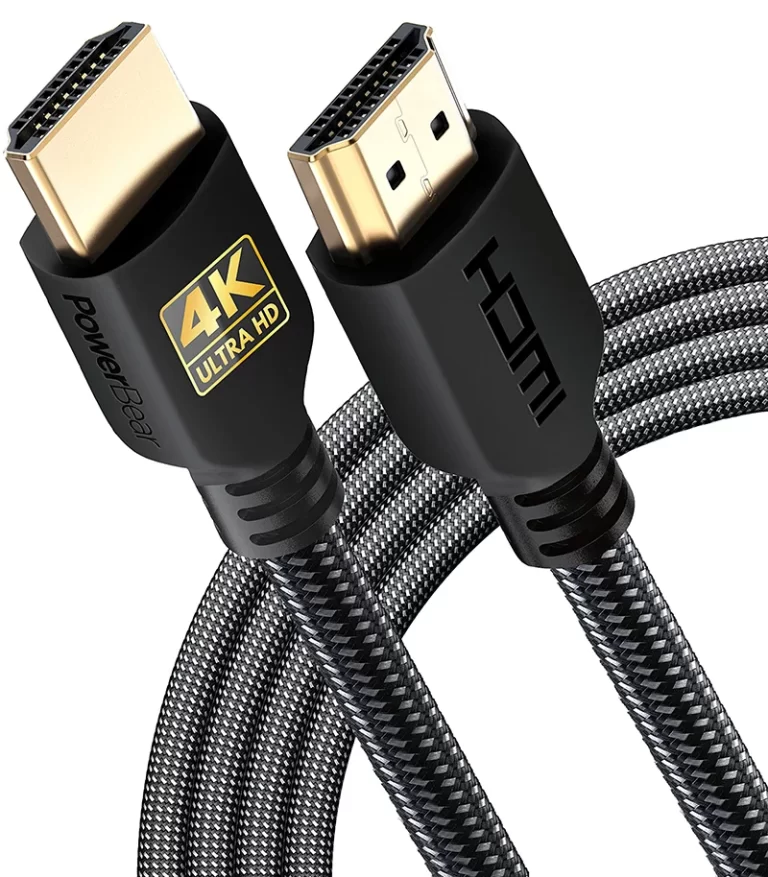
Verdict: Buy it for 4K@60. Skip it for 120Hz gaming.
Check price on AmazonBuy it if
- Your TV, streaming box or Blu-ray player tops out at 4K@60
- You want a braided cable without paying much
Skip it if
- A PS5, Xbox Series X or PC runs at 120Hz
- You need eARC or an official certification label
- Bandwidth
- 18Gbps
- Max video
- 4K@60
- Audio return
- ARC
- In-wall
- CL3, per the listing
What 18Gbps covers
Speed class is the first thing to check on any HDMI cable, because it decides which signals the cable can carry. PowerBear rates this one at 18Gbps, which sits in the middle of the three current cable types.
| Cable type | Bandwidth | Built for | PowerBear |
|---|---|---|---|
| High Speed | 10.2Gbps | 1080p and 4K@30 | Covered |
| Premium High Speed | 18Gbps | 4K@60 with HDR | Same bandwidth, no Premium label claimed |
| Ultra High Speed | 48Gbps | 4K@120 and 8K@60 | Not covered |
For most TVs, streaming boxes and Blu-ray players, 4K@60 is the ceiling anyway. A PS5 or Xbox Series X set to 120Hz is the common case where 18Gbps falls short. The console will drop to 60Hz through this cable, and you’d need a 48Gbps cable to get 120Hz back.
One more detail for PC users. At 4K@60 with HDR, an 18Gbps link carries 10-bit color with chroma subsampling. That’s standard for this bandwidth and hard to spot in movies, but small colored text on a desktop can look softer. If that matters to you, a 48Gbps cable removes the limit, provided your graphics card and display both support it.
Specifications
| Rated bandwidth | 18Gbps |
| Maximum video | 4K@60Hz; also 2K and 1080p. Not for 8K. |
| Color and audio | 48-bit HDR color depth, TrueHD 7.1 |
| HDMI features | ARC and Ethernet channel |
| Conductors | 30AWG copper |
| Shielding | Triple tin shielding |
| Jacket | Double-braided nylon |
| Connectors | Gold plated |
| Diameter | 0.24 in (6 mm) |
| In-wall rating | CL3, per the listing |
| Lengths sold | 0.5 ft to 75 ft (this listing: 10 ft) |
| Listed devices | Laptops, monitors, PS5, PS4, Xbox One, Fire TV |
| Backward compatible with | HDMI 1.3, 1.4, 2.0 and 2.0a devices |
Build and length
The double-braided nylon jacket and gold-plated connectors are the main differences you’re paying for over a plain rubber cable, and at this price that’s a good deal. Neither one sharpens the picture. HDMI is digital, so a cable either delivers the signal or starts to fail with sparkles and dropouts. A braided jacket can stand up better to scuffs and repeated handling. On the listing, 829 of the 1,048 owners who mention durability are positive, and the comments Amazon highlights about flexibility are favorable.
Length needs more care. PowerBear sells this cable from 0.5 ft up to 75 ft, but the 18Gbps rating we checked is for the 10 ft version. Passive copper gets less forgiving as runs get longer, especially with conductors as thin as 30AWG. For anything past about 25 ft, confirm that the listing for your exact length still promises 18Gbps, and consider an active or fiber cable instead.
Audio, ARC and in-wall use
The cable lists ARC, which lets a TV send sound back to a soundbar or receiver over the same HDMI connection. PowerBear doesn’t claim eARC. That matters if you want TrueHD or Atmos from the TV’s own apps, because plain ARC doesn’t have the bandwidth for lossless audio. TrueHD 7.1 from a player connected straight to a receiver is fine.
PowerBear lists the cable as CL3 rated, the fire-safety rating used for cable run inside walls. The listing doesn’t name a testing lab. If an inspector or installer will be looking at the job, check the jacket for the CL3 marking before you close up the drywall.
What owners say
Amazon’s customer review summary for this listing (November 2026), pooled across its lengths and pack sizes, sorts owner comments by topic:
- Mostly praised: quality, value for money, picture quality, length and appearance.
- Weaker: durability, compatibility and reliability.
Praise for quality, value and appearance is overwhelming. Compatibility and reliability are the weak spots, with unhappy owners describing connections that drop or one defective cable in a multipack. Those complaints come only from people who raised the topic, so they aren’t a failure rate. They’re still a good reason to test the cable as soon as it arrives, while returning it is simple.
Pros and cons
Pros
- Enough bandwidth for 4K@60 with HDR
- Braided nylon jacket and gold connectors at a budget price
- Strong owner scores for quality and value across a very large sample
- Listed as CL3 rated for in-wall runs
- Wide choice of lengths
Cons
- Stops at 4K@60, so no 4K@120 or 8K
- Some owners report faulty units or dropped connections
- No Premium High Speed certification claimed, and no eARC promise
Who should buy it
Buy it for a 4K TV, streaming box, Blu-ray player or older console, especially if you want a braided jacket without paying much for it. It also suits a spare cable or a run behind a wall-mounted TV at ordinary lengths.
Skip it if you own a 120Hz TV and a current console or gaming PC, if you need eARC for lossless audio, or if your installer requires a cable with an official certification label.
Alternatives
For 4K@120, 8K@60 or eARC, read our Monoprice 8K HDMI cable review. It’s a 48Gbps cable that costs more but removes the bandwidth limit. If you don’t care about a braided jacket, our AmazonBasics HDMI cable review covers the no-frills option. Still deciding which class you need? Our HDMI cable buying guide walks through it.
Frequently asked questions
Does the PowerBear 4K HDMI cable support 4K at 120Hz?
No. It is rated at 18Gbps, which tops out at 4K@60. A 4K@120 signal needs a 48Gbps Ultra High Speed cable.
Is the PowerBear an HDMI 2.1 cable?
No. HDMI 2.1 features such as 4K@120 and 8K@60 need 48Gbps of bandwidth, and PowerBear’s listing states 18Gbps and says the cable is not for 8K.
Will it work with a PS5?
Yes, up to 4K@60. PowerBear lists the PS5 as a compatible device. The console will not run at 120Hz through this cable.
Does it support eARC?
PowerBear lists ARC and does not claim eARC. The HDMI specification allows eARC over High Speed cables with Ethernet, so it may work, but it is not promised here. For lossless audio from TV apps, choose a cable that lists eARC.
Can I run it inside a wall?
PowerBear lists this cable as CL3 rated, which is the rating used for in-wall runs. The listing does not name a testing lab, so check the jacket for the marking and confirm what your local code and installer require.
Is it HDMI certified?
PowerBear’s listing does not claim Premium High Speed certification. If you want a certified cable, look for the official label with a QR code that scans in the HDMI Cable Certification app.
Final verdict
For a 4K@60 setup, the PowerBear 4K HDMI Cable gives you the right bandwidth and a braided jacket for little money, and owners overwhelmingly like it. Test it when it arrives, since some buyers do get a bad one. If you run a 120Hz console or need eARC, spend more on a 48Gbps cable.
We may earn an affiliate commission when you purchase through links on our site. Thanks for your support!