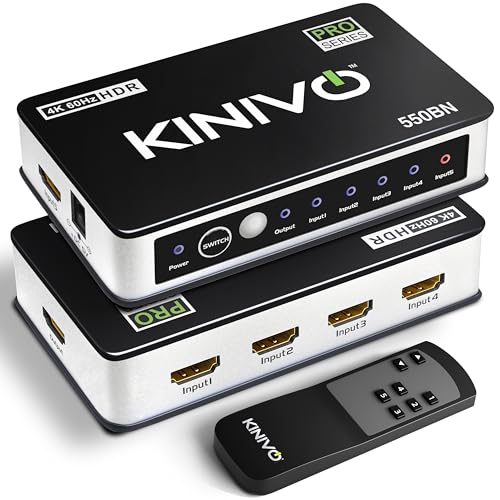
Updated July 2026: Kinivo has quietly upgraded the 501BN since our original review. Today’s model adds 4K@30 support, HDCP 2.2, HDR10, and Dolby Vision pass-through, and it now plays nicely with Roku and Apple TV, the two devices the original struggled with. We’ve refreshed this review for the current unit and kept notes for anyone still running the original revision.
Every home theater hits the same wall eventually: more devices than HDMI ports. A console, a streaming box, a Blu-ray player, maybe a cable box, and a TV with two inputs. You can crawl behind the TV and swap cables every time, or you can spend $49 once. The Kinivo 501BN has been the standard answer to that problem for over a decade, and the current revision is better than the one that made its reputation. Our verdict up front: for movie-first 4K setups and anything 1080p, it’s still the 5-port switch to beat. The full picture, including the one spec that should send gamers elsewhere, is below.
What the Current Kinivo 501BN Does
- Five inputs, one output with automatic switching to the active source, plus an IR remote and an on-unit select button for manual control
- 4K@30Hz with HDR10 and Dolby Vision pass-through
- HDCP 2.2, the requirement for protected 4K content from streaming services
- 18Gbps bandwidth and VRR support
- Broad compatibility: PS5, Xbox, Roku, Apple TV, Nintendo Switch, Blu-ray players, cable boxes
- Powered design: runs off an included AC adapter rather than sipping power from the HDMI line, which is a big part of why its switching stays reliable
Check the 501BN’s Latest Price
Kinivo 501BN vs 550BN: Which One?
| 501BN | 550BN | |
|---|---|---|
| Max 4K refresh | 4K@30Hz | 4K@60Hz |
| HDR | HDR10, Dolby Vision | HDR10, Dolby Vision |
| Copy protection | HDCP 2.2 | HDCP 2.2 |
| Bandwidth | 18Gbps | 18Gbps |
| Ports | 5 in, 1 out | 5 in, 1 out |
| Best for | Movies, TV, 1080p gaming | 4K@60 gaming and sports |
The decision is one question: do you need 4K at 60 frames per second? Movies run at 24fps and most TV at 30, so the 501BN’s 4K@30 cap never shows itself in a watch-first setup. Live sports in 4K and current-gen console gaming want 60, and that’s the Kinivo 550BN, typically a few dollars more. On a 1080p TV, either switch is overkill in a good way.
Setup and Everyday Use
Setup is genuinely a five-minute job. Sources plug into the five inputs, one cable runs from the output to your TV, the power adapter goes to the wall, and you’re done. There’s no pairing, no app, and no firmware. The IR remote works out of the box, and there’s a select button on the unit itself for when the remote inevitably vanishes into the couch.
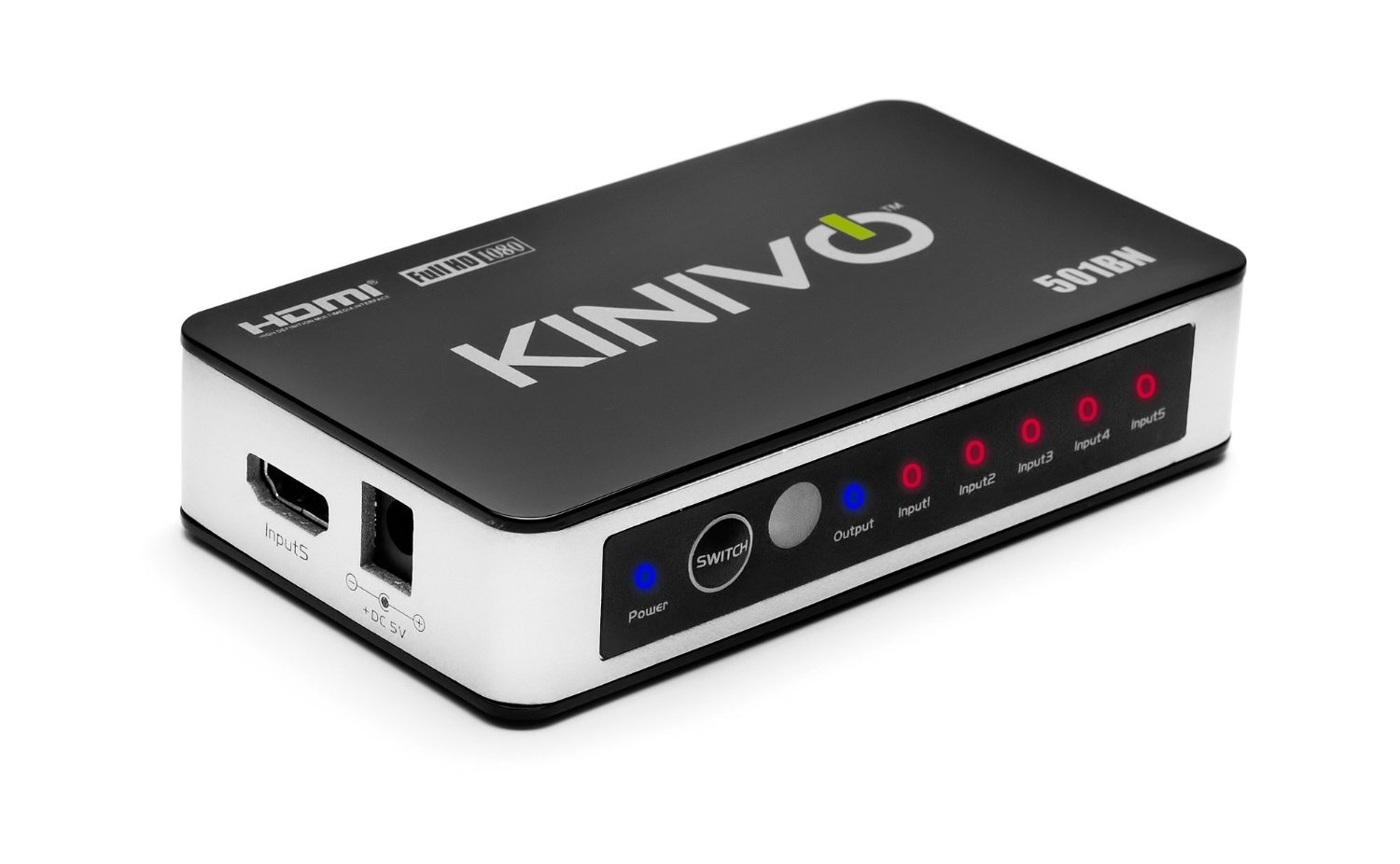
The automatic switching is the reason this thing has stayed popular for over a decade. Power on a console and the switch jumps to it without you touching anything. The logic is simple: the most recently active input wins. When several sources are awake at once, the remote or the select button settles it. The old headache in this category was devices like Apple TV that keep their HDMI port alive while sleeping and confuse auto-switching; the current 501BN lists Apple TV and Roku compatibility explicitly, which fixes the original revision’s most common complaint.
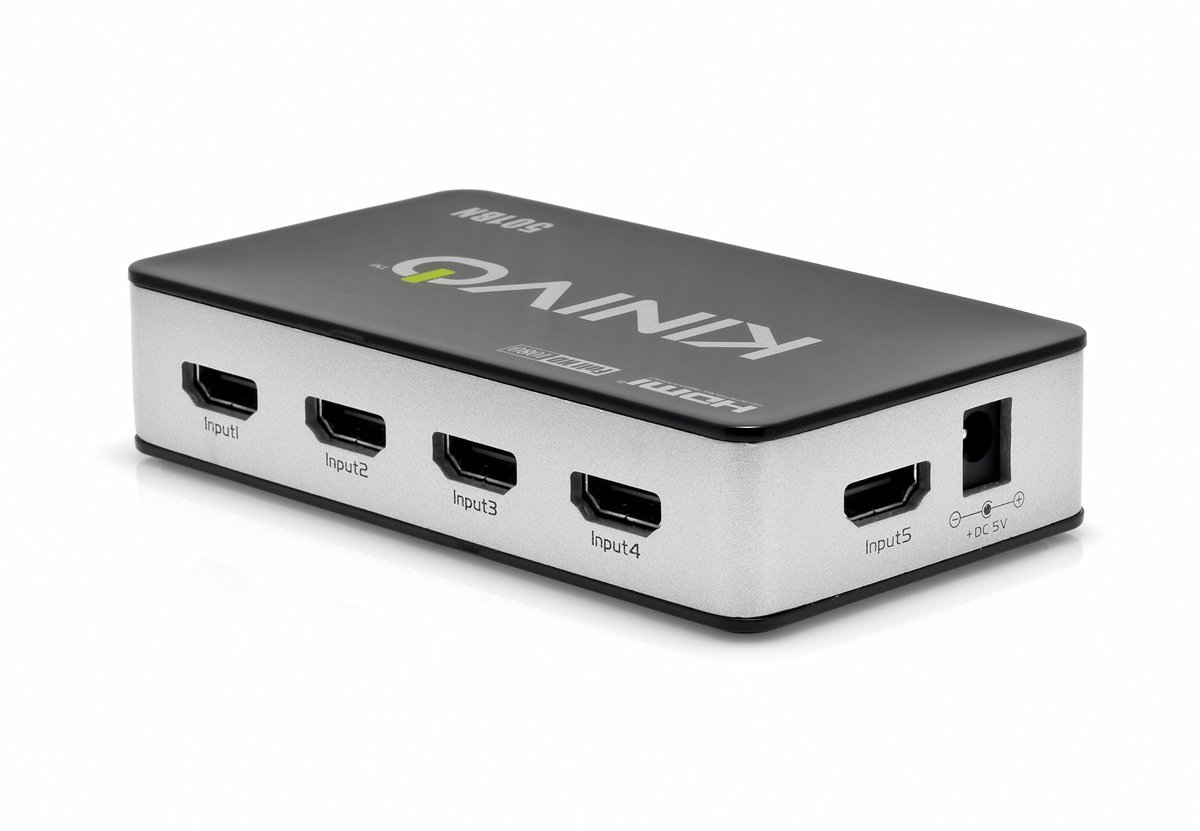
One layout note carries over from our original review: some ports sit on the side of the unit rather than the back, so your cable runs won’t all exit in one tidy direction. In a closed cabinet nobody sees it. On an open shelf, it’s mildly annoying and entirely cosmetic.
Performance: Picture, Audio, and Lag
A switch done right should be invisible, and the 501BN is. It passes the signal through without scaling or processing it, which means two things. First, picture quality is bit-for-bit identical to a direct connection; there is nothing for the switch to improve or degrade as long as the signal fits inside its 18Gbps limit. Second, there’s no meaningful input lag, because there’s no processing step to add any. Gamers worried that a switch will cost them frames can relax; the frame-rate question here is the 4K@30 ceiling, not latency.
Audio rides along the same way. Surround formats pass through to the TV untouched, and if your soundbar hangs off the TV’s ARC or eARC port, the switch never touches that connection; it sits on the input side, the soundbar on the output side, and the two don’t interact.
HDCP 2.2 support deserves a specific callout because it’s where cheap switches fail without warning. Protected 4K streams from Netflix or Disney+ refuse to play through an HDCP 1.x device, showing a black screen or an error instead. The current 501BN clears that bar; the original revision did not, which is the single biggest reason to know which one you own.
Build Quality and What’s Included
The unit is compact and clean-looking, with a low-profile design that disappears on a shelf. In the box:
- Kinivo 501BN HDMI switch
- AC power adapter
- IR remote control with battery
- User manual (also available as a PDF from Kinivo)
Kinivo backs it with a 2-year warranty and lifetime US-based customer support, which is more coverage than most sub-$50 AV accessories see, and worth something on a device that’s expected to sit powered on for years.
Specifications
- Inputs/outputs: 5 HDMI in, 1 HDMI out
- Max resolution: 4K@30Hz with HDR10 and Dolby Vision
- Copy protection: HDCP 2.2
- Bandwidth: 18Gbps, VRR supported
- Control: auto-switching, IR remote, on-unit select button
- Warranty: 2 years, with lifetime US-based customer support
- Item number: 501BN
- Dimensions: 6.3 x 5.9 x 2.5 inches
Pros and Cons
Pros
- Flawless auto-switching that jumps to whichever source powers on
- Five ports where most budget switches offer three
- Modern spec: HDCP 2.2, HDR10, and Dolby Vision at around $49
- No processing, no lag: pure pass-through design
- Powered design keeps switching stable with five sources connected
- Simple setup with a compact, clean-looking unit
- 2-year warranty and lifetime US-based support, unusual for a budget switch
Cons
- 4K limited to 30Hz, so 4K@60 gaming and sports need the 550BN instead
- Side-mounted ports make cable runs slightly messier than rear-only designs
- IR remote is basic, and some longtime owners report it feels like the cheapest part of the package
What Owners Say
The 501BN has been reviewed by thousands of buyers across a decade, and the consensus tracks our experience: it does exactly what it promises, sets up in minutes, and then gets forgotten, which is exactly what you want from a switch. The recurring praise is the auto-switching and the five-port capacity; the recurring complaints are the side-mounted ports and, from a minority of long-term owners, remote durability and ports loosening after years of heavy replugging. Nothing in the feedback pattern suggests a reliability problem in normal use, where the cables go in once and stay put.
Still Running an Original 501BN?
If you bought yours in the early years, it’s a different unit inside: the original supported 1080p with HDCP 1.2 and no 4K. It also never auto-switched properly with Apple TV. On a 1080p setup the original is still doing its job and there’s no reason to replace it. The moment a 4K TV or a modern streaming box enters the picture, the old revision becomes the bottleneck, and the current 501BN or the 550BN puts you right again.
Who Should Buy the Kinivo 501BN
Buy it if: you’re a movie-and-TV-first household with a 4K TV and more sources than ports; you’re running a 1080p TV with consoles and streamers competing for two inputs; or you want auto-switching that actually works so the switch never becomes another remote to manage.
Skip it if: you game at 4K@60 or watch 4K sports (get the 550BN), or your TV already has enough inputs, in which case no switch beats a better cable.
FAQ
Does the Kinivo 501BN support 4K at 60Hz?
No. The 501BN tops out at 4K@30Hz, which covers movies and most TV. For 4K@60 gaming or sports, get the 550BN, which is otherwise the same switch.
Does an HDMI switch add input lag?
Not this kind. The 501BN is a pass-through device with no scaling or processing, so there’s no measurable latency added. Your TV’s game mode matters far more than the switch.
Does the 501BN work with PS5 and Apple TV?
Yes. The current revision lists PS5, Xbox, Roku, Apple TV, and Nintendo Switch compatibility. Note the PS5 will run at 4K@30 or 1080p@60 through this switch, not 4K@60.
Does it need to be plugged in?
Yes, it runs on an included AC adapter. That’s a feature, not a drawback: powered switches hold stable connections with five sources attached, where passive switches get flaky.
Will it work with my soundbar’s ARC or eARC connection?
Yes, because it never touches it. The switch sits between your sources and the TV; the ARC/eARC link between your TV and soundbar is a separate connection and works exactly as before.
How do I know if I have the original or current 501BN?
Try a protected 4K stream. If Netflix plays in 4K, you have the current HDCP 2.2 revision. If you bought it before roughly 2018, assume it’s the original 1080p/HDCP 1.2 unit.
Final Verdict
A decade on the market and a hardware refresh that fixed its two real complaints is about the strongest endorsement a $49 accessory can earn. The Kinivo 501BN is the rare budget device with no catch beyond one clearly stated limit: 4K stops at 30Hz. Movie-first households and 1080p setups can buy it without a second thought; 4K@60 gamers should spend the extra on the 550BN and get the same reliability. Not sure a switch is what you need at all? Our HDMI switch box guide covers when a switch beats rearranging cables, and our best HDMI switches roundup compares the field.
Check Price and Availability Here